
Projector
Project logistics management system
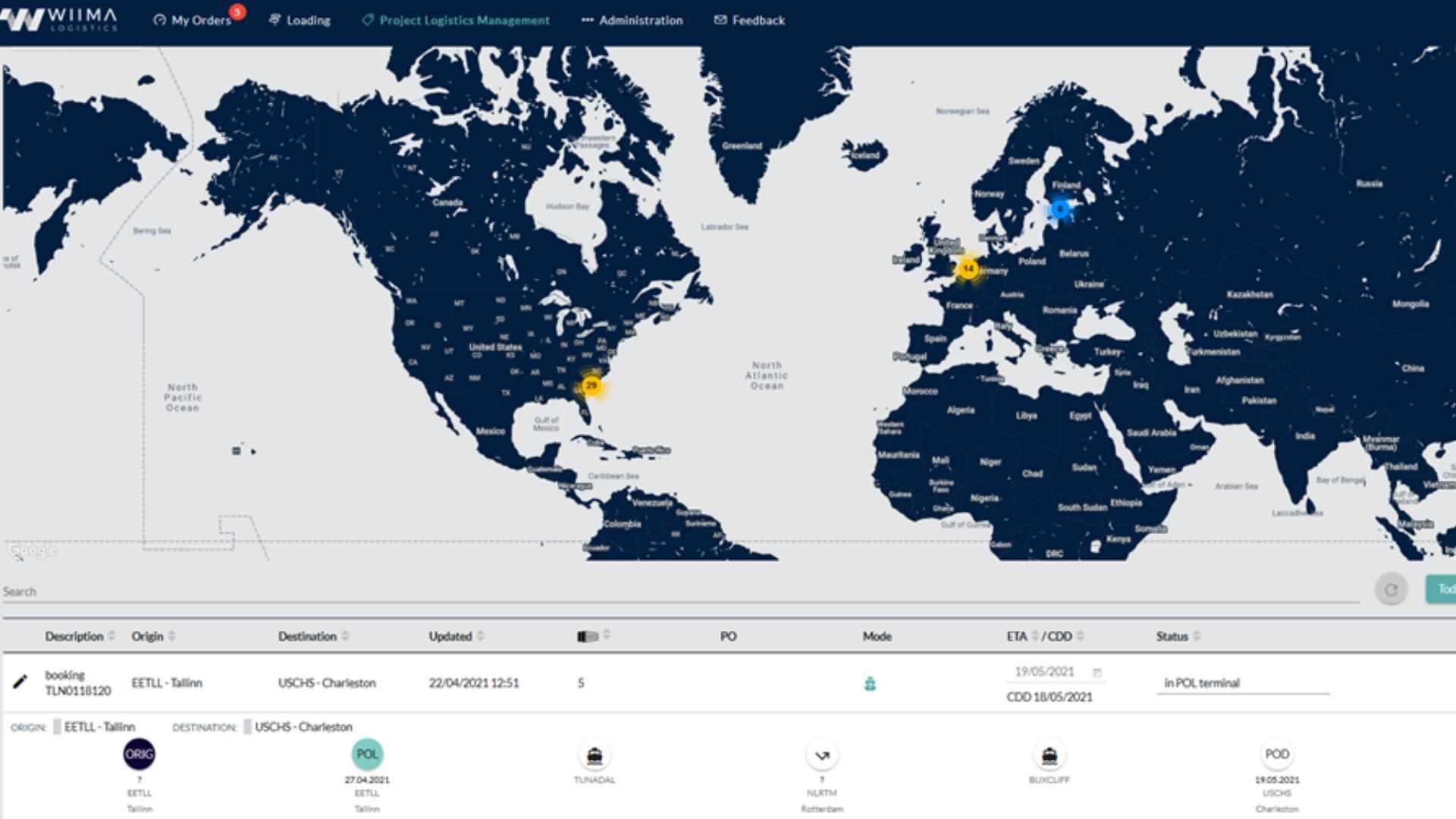
Projector brings shipments, suppliers and milestones together on one platform – from purchase order to installation. Clear visibility helps you anticipate issues and reduce delays, whether you run a one-off project or continuous material flows. Every stakeholder works from the same up-to-date information.
Control complex project logistics
Projector is Wiima’s own project logistics management system. It connects stakeholders, shipments and schedules on one transparent platform – decisions and execution on the same information. Whether you run a one-off project or continuous material flows, the same item-level model helps you anticipate delays before they grow.
- Supplier. Orders and suppliers in the same view
- Transport. Every item's status in real time
- Staging warehouse. Staging warehouse levels kept up to date
- Transport. Delays show before they land on site
- Site. Arrival and installation as separate states
Sample data · updated
PO-4500-1207. PO placed. 0/12. PO-4500-1207 · 12 pcs. ETA vs ATA: 100%. PO-4500-1219 OrderedSample data · updated
PO-4500-1207. Installed. 12/12. Installed · 12/12. ETA vs ATA: Installed · 12/12. On time 1/2 · avg deviation +0.5 d. PO-4500-1219 Delay 2 daysUp-to-date project control
See logistics progress from the first purchase order to installation. Milestones, delays and inventory levels sit in one view, so you can act before a delay grows. Shipment-level tracking alone is not enough when the installation window is tight and one late item stops the chain.
Shared supplier view
Suppliers use the same system: schedules, documents and cost breakdowns are visible to everyone. Fewer email threads are needed, and every party works from the same up-to-date information.
Critical item tracking
Critical items are marked and brought to the front. Alerts and progress updates help reduce delays in multi-phase projects – in new builds and modernisations where sequencing is strict.
Data in one place
From warehouse stock levels to installation reporting, information lives in one system so decisions can be based on up-to-date facts – not guesswork or separate spreadsheets.
Control through item-level data
The shipment, the filters and the item list sit in the same view.
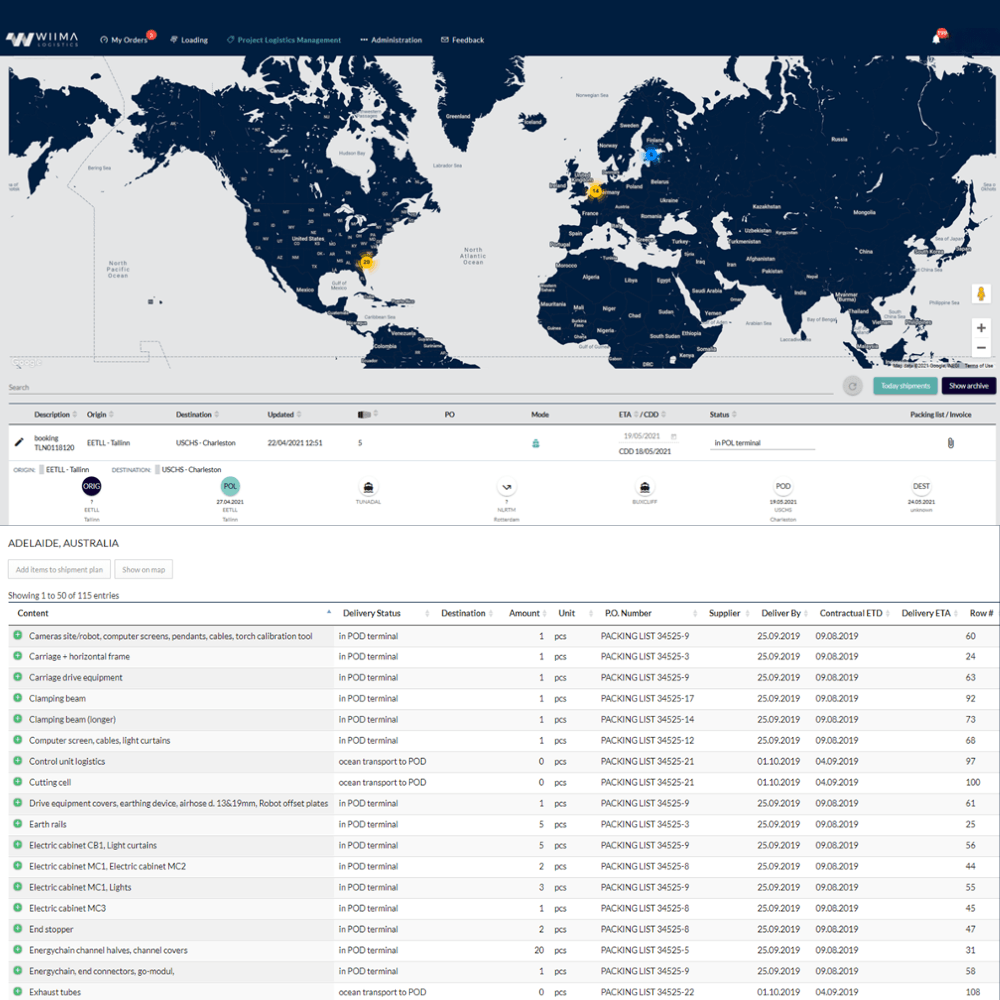
Item-level tracking and supplier sorting
Each component on its own row, sorted by supplier.
Versatile filters
The item list can be narrowed by supplier, destination or status.
Real-time status
Shipment stages and dates sit on a single row.
Automatic status alerts
A status change shows on the map as soon as the stage updates.
One platform for all parties
Suppliers, logistics partners and your own team work on a shared timeline. Updates, documents and exceptions flow through one channel – faster alignment and fewer conflicting versions.
Decisions based on up-to-date information
Shipment events are captured as they happen and can feed reports and alerts: what is delayed, what is critical, where the bottlenecks are. Visibility turns into action, not only a status picture.
Three building blocks
Projector is built for day-to-day project logistics – not as a generic freight tool. Three building blocks – simplicity, collaboration and analytics – keep control practical.
Milestones together
Stages and item updates in one view.
Supplier collaboration
Documents and readiness straight into the platform.
Item-level status
Each component’s journey from order to handover.
Views and reports
Delays, criticality and supplier performance.
Simplicity
Get milestones under control quickly
Manual stage tracking across many vendors takes time and causes confusion. Projector gathers milestones and item-level updates in one place, so less time is spent on coordination and the team stays aligned.
Collaboration
All parties in the same view
Suppliers, freight partners and internal teams use the same view. Suppliers update milestones, documents and readiness directly – less email, fewer misunderstandings and less waiting.
Analytics
From information to action
Milestones, item statuses and delays feed reports and views: supplier delivery performance, lead times and KPI trends. Information can move into decisions – not only into an archive.
Where Projector helps
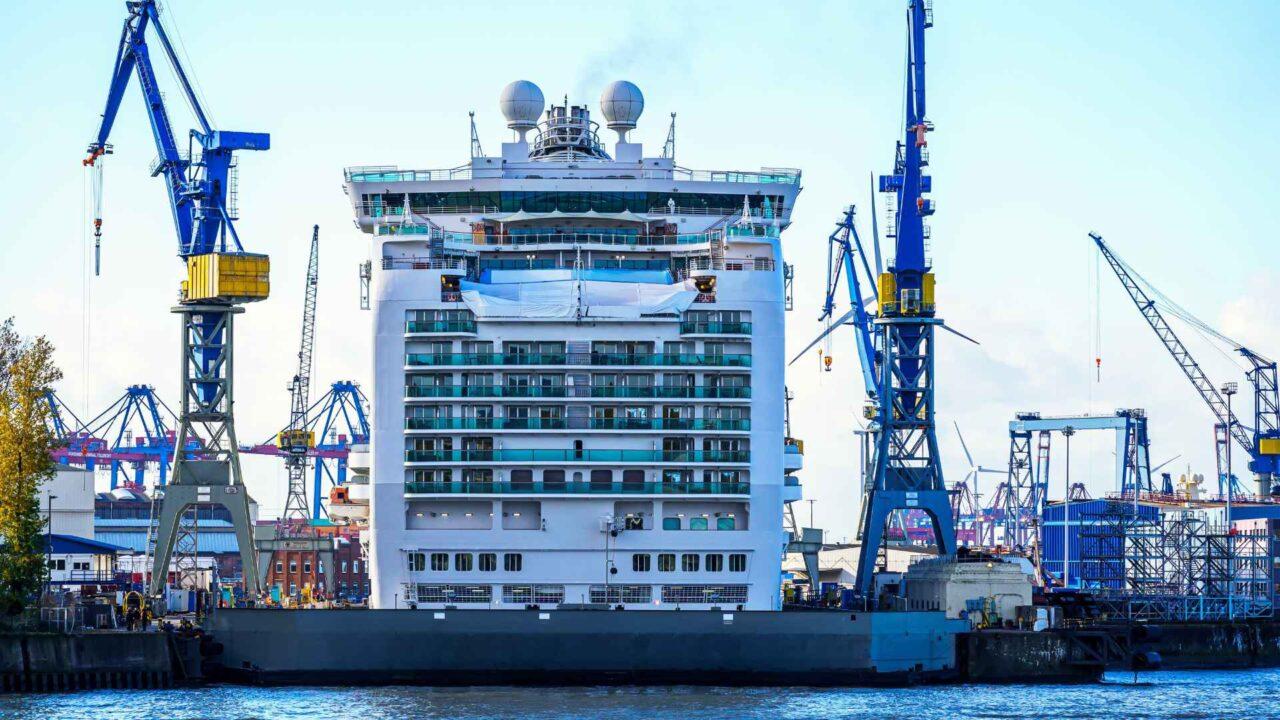
Typical uses in project logistics – from industry to the shipyard. Below are examples of projects where item-level visibility reduces coordination load.
Multi-supplier projects
When dozens of suppliers deliver into the same project, a shared timeline and item-level status reduce coordination load. You see who is late and what affects installation – without separate status rounds.
Critical installation windows
When the installation slot is limited, you see early which items risk delay – and can prioritise actions before the site is waiting. Anticipation is more valuable than after-the-fact investigation.
Open-book collaboration
A shared view of documents and cost breakdowns supports transparent collaboration between customer, suppliers and the logistics partner. One truth for every party.
New build and modernisation
Suited to projects where components come from many countries and stages: purchase order to warehouse, transport and installation. Projector does not replace iControl for comparing transport rate cards – it complements project logistics control.
Continuous material flows
For recurring project deliveries, the same item-level model keeps stakeholders aligned without separate tracking spreadsheets and scattered updates.
How Projector runs from purchase order to installation
The same chain Projector is built to support – step by step, at item level.
01
Purchase order and items
The project starts with a purchase order. Items and criticality are marked so tracking can begin from the order line – not only once a shipment is on the road.
02
Supplier milestones
Suppliers update readiness, documents and schedule in the same view. A shared timeline reduces separate status queries and conflicting versions.
03
Transport and staging
Shipment events and locations appear in one project view. You see where each item sits on the path to installation.
04
On-site handover
Installation reporting and handover close the same chain. Critical gaps and delays are visible before the site is waiting.
What visibility changes day to day
Projector is a tool for control – not a report left on the shelf. Visibility means less friction and faster decisions.
Fewer email threads
When status, documents and milestones sit in one view, status chasing drops and decisions speed up. Time goes into resolving exceptions, not hunting for information.
Anticipation before a crisis
Delays and critical items surface in time, so you can act before an installation window is missed. Managed prioritisation replaces ad hoc urgency.
A shared truth for stakeholders
Customer, suppliers and logistics work from the same information – fewer conflicting versions and misunderstandings. One view, one picture of the situation.
Frequently asked questions
1 / 5
How do Projector and iControl fit together?
Projector is a project logistics management system. iControl compares transport rate cards and handles bookings; Projector adds item-level control from purchase order to installation. You can use each product on its own or run them side by side.
Who is Projector for?
Projects where multi-supplier deliveries, milestones and installation windows must stay in one view – for example in industry, at the shipyard or in modernisation programmes. It also suits recurring project deliveries where the same item-level model reduces separate tracking spreadsheets.
What does item-level tracking mean?
Tracking does not stop at shipment level. You see the status, location and milestones of individual items – what is critical, what is delayed and what is ready for handover. Prioritisation and response happen before the site is waiting.
Can suppliers use the same system?
Yes. Suppliers, logistics partners and your own team can work on a shared timeline: updates, documents and exceptions flow through one channel. A shared view reduces email threads and conflicting versions.
Does Projector replace separate tracking spreadsheets?
The aim is to gather milestones, statuses and documents on one platform so fewer separate tracking sheets and long email threads are needed. Reports and views support decision-making – from supplier delivery performance to lead times.
Projector also supports our project logistics services (Project Forwarding and Control Tower), and it works on its own or alongside our 4PL services.
Ready for better logistics?
Tell us about your project – we will help assess how Projector fits your use.
Preparing the form.
Or by email info@wiima.fiOr by phone +358 201 5550 50